Uses
Welcome to my /uses page! This isn’t meant to be a complete list of everything I touch on a daily basis, but a spotlight of the tools I enjoy using most. (The picture needs an update!)
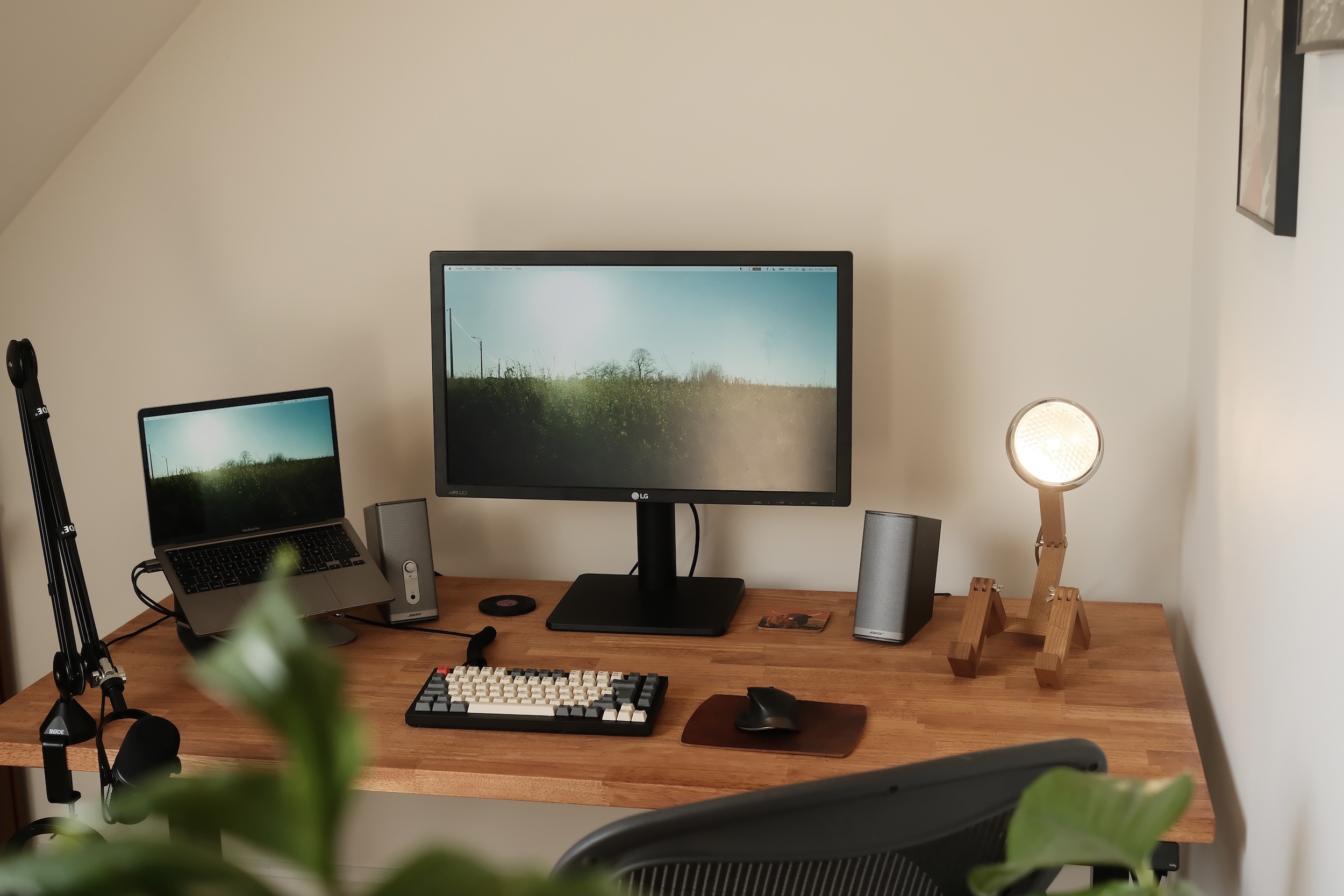
Workspace
| Laptop | Apple M1 Pro 2021 14" |
| Stand | Rain Design mStand |
| Speakers | Bose Companion 2 Series II |
| Monitor | LG 27MU67 |
| Keyboard | Keychron Q1 w/ Phantom Red switches |
| Mouse | Logitech MX Master 3s |
| Mic | Shure MV7 |
| Studio arm | Elgato Wave Mic Arm |
| Headphones | AirPods Pro |
| Desk | Fully Jarvis w/ custom rubberwood top |
| Chair | Herman Miller Aeron |
| Light | Mr. Wattson |
Development
My current editor of choice is Zed. I consider it the modern spiritual successor of Sublime with how lightweight and responzive it feels. I also use it as my terminal. I love the Shift+Esc to quickly make any editor or terminal take over the entire window. Fonts are set to Berkeley Mono wherever I can.
For agentic development, I use the Codex app most of the time. I like having all projects and threads available in the sidebar at a glance.
Productivity
I use Things as my daily driver to manage tasks. iA Writer has always been a staple for writing.
I also want to mention Excalidraw. I do a lot of UX & product design work, and Excalidraw has been my tool of choice to mock up interfaces or create diagrams to clarify specs & documentation.
Despite looking slightly dystopian when I’m using it I’ve been using Monologue for voice dictation more often.
Apps
| Browser | Chrome |
| Apple Mail | |
| Tasks | Things |
| Writing | iA Writer |
| Calendar | Apple Calendar (macOS) |
| Fantastical (iOS) | |
| Code | Zed |
| Codex | |
| Git | Tower |
| MySQL | TablePlus |
| Command Bar | Raycast |
| Communication | |
| Slack | |
| RSS | Current Reader |
| Bookmarks | Pinboard |
| E-reader | Kindle Oasis |
| Read later | Push to Kindle |
| Things | |
| Presentations | Keynote |
| Finance | Google Sheets |
| Music | Spotify |
| Podcasts | Overcast |
| News | FM radio |
| Photography | Lightroom |
More setups across the web
Other people’s setups and uses pages that inspired me in the past or for the future.